
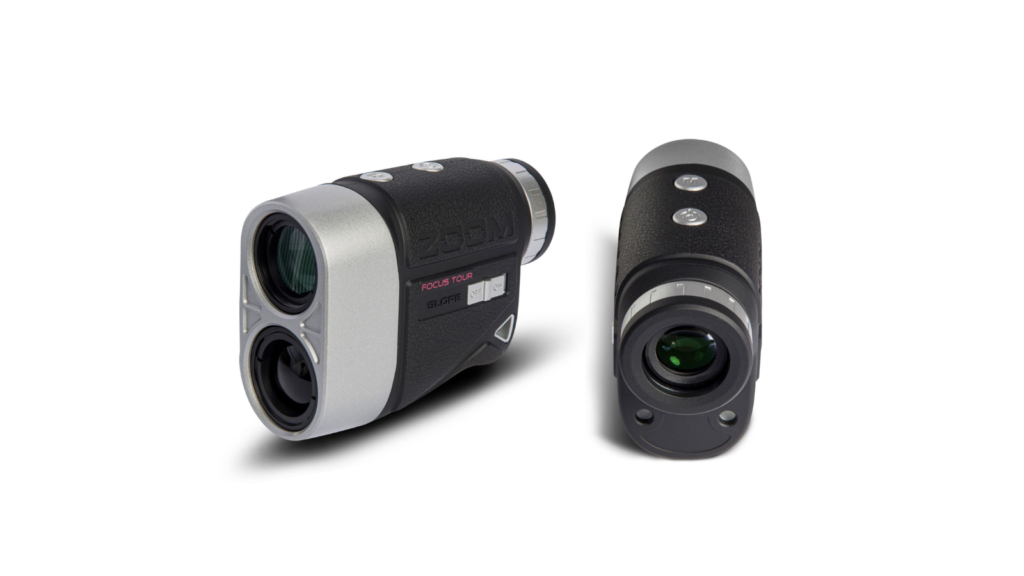
The Zoom Focus Tour Laser Rangefinder has earned its reputation as a “flagship killer.” Combining a vintage, metal-hybrid design with blazing-fast optics, it offers a premium experience without the premium price tag. However, to truly lower your scores, you need to understand more than just how to point and shoot.
In this guide, we’ll walk you through the setup, advanced modes, and pro-level strategies to get the most out of your Zoom Focus Tour.
Table of Contents
1. Getting Started: The Basics
Before you head to the first tee, ensure your device is calibrated for your vision and ready for action.
Step 1: Battery Installation
The Zoom Focus Tour is powered by a CR2 3V battery.
- Open the battery compartment on the bottom of the device.
- Insert the battery with the positive (+) end facing outward.
- Ensure the cap is tightly sealed to maintain the device’s weather resistance.
Step 2: Adjusting the Diopter (Focus)
Every golfer’s eyesight is different. To ensure the display is crystal clear:
- Look through the eyepiece at a distant object.
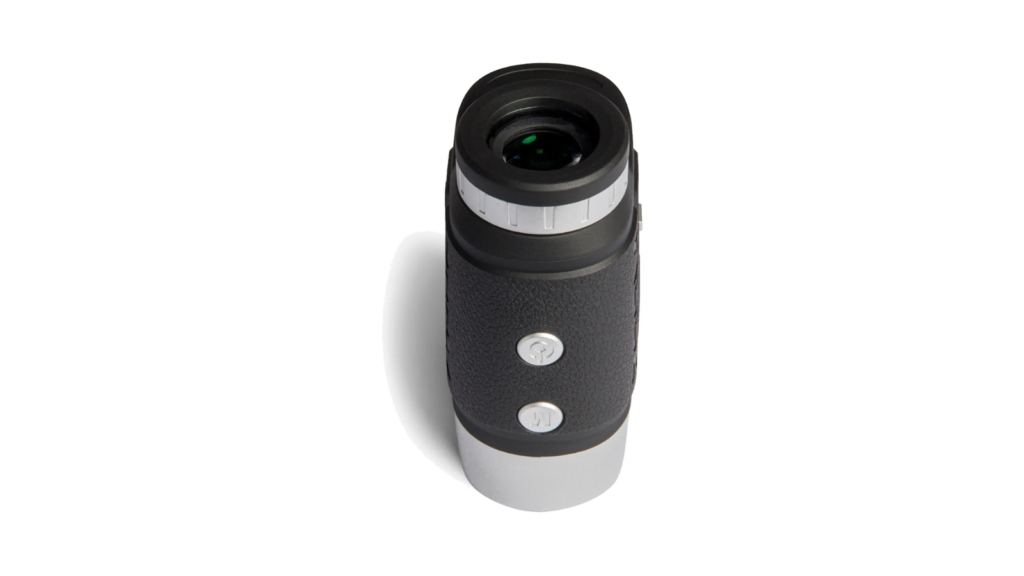
- Twist the adjustable eyepiece (diopter) left or right until the internal crosshairs and the distance numbers are sharp and dark.
- Once set, you rarely need to adjust this again unless you share the device.
2. Navigating the Modes
The Zoom Focus Tour features two primary buttons: Power/Measure (top) and Mode/Slope (side).
Standard Ranging Mode
To get a quick distance to any target (bunkers, trees, or mounds):
- Press the Power button once to turn on the LCD.
- Aim the crosshairs at your target.
- Press the Power button again. The distance will appear instantly on the screen.
Flagpole Scanning & Vibration Feedback
For those tricky pins tucked against a background of trees, use the Flagstick Scanning Mode:
- Hold down the Power button while scanning across the flag.
- The device’s internal logic will ignore the background objects and lock onto the nearest target (the pin).
- Target Vibration: Once locked, the device will give a short pulse (vibration) to confirm you have the correct yardage.
3. Mastering the Slope Switch
The standout feature of the Focus Tour is its Slope-Adjusted Distance, which calculates how much an incline or decline will affect your shot.
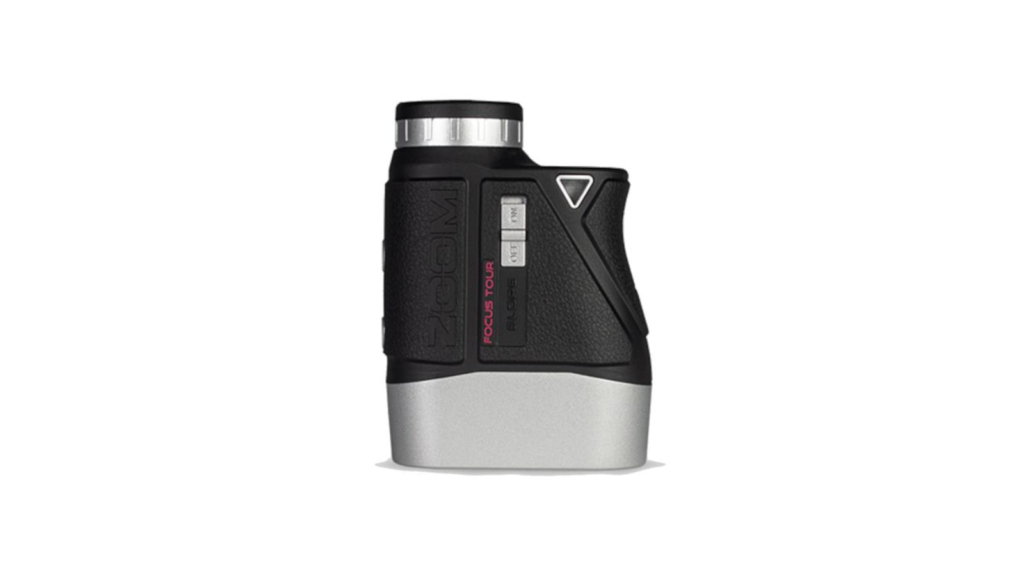
- How to Toggle: There is a physical switch/button on the side of the unit.
- When it’s ON: The display shows two numbers—the actual yardage and the “Play-As” yardage (adjusted for the slope).
- Tournament Legal: To use the device in a tournament, you must switch Slope Mode OFF. The external indicator ensures your playing partners know you are playing within the rules.
4. Pro Strategy: Continuous Measurement
Most golfers only zap the pin, but pros zap the context. By holding down the Power button in Continuous Scan Mode, you can pan across the landscape.
- Scan the “Danger”: Scan the front lip of the bunker, then the pin, then the back edge of the green.
- Why? This gives you a “landing window” rather than just a single number, helping you choose a club that keeps you safe even if you don’t hit your shot perfectly.
5. Maintenance and Troubleshooting
To keep your Zoom Focus Tour performing like new through 2026 and beyond:
- Lens Care: Use the provided microfiber cloth. Never use a rough shirt or paper towel, as the multi-layer coating on the 6x lens is sensitive to scratches.
- Weathering: The device is water-resistant, but not waterproof. If you play in heavy rain, dry it thoroughly before storing it in its premium hard-shell case.
- Unit Change: To switch between Meters and Yards, hold the Mode button for 3–5 seconds.
6. Competitive Review: Why Choose the Zoom Focus Tour?
| Feature | Zoom Focus Tour | Competitor Average |
| Optics | 6x Magnification / 7.5° FOV | 5x Magnification / 6.0° FOV |
| Build Quality | Metal Hybrid (Premium Feel) | Plastic / Composite |
| Range | 800 Meters / 875 Yards | 600 Meters |
| Accuracy | +/- 0.5 Meters | +/- 1.0 Meters |
To make your content truly SEO-friendly, adding a Frequently Asked Questions (FAQ) section is vital. It helps you rank for “People Also Ask” snippets on Google and addresses specific user concerns that might not fit in the main body of your article.
Here are the top FAQs for the Zoom Focus Tour Laser Rangefinder, structured for maximum search visibility:
Frequently Asked Questions (FAQ)
1. Is the Zoom Focus Tour Laser Rangefinder tournament legal?
Yes, but only when the Slope Mode is turned off. The Zoom Focus Tour features a visible toggle/indicator that allows tournament officials and playing partners to see that the slope compensation is disabled, making it fully compliant with USGA and R&A rules.
2. How do I switch between Yards and Meters?
Switching units is simple. While the device is powered on, press and hold the Mode button (located on the side or top depending on your specific version) for approximately 3 to 5 seconds. The display will toggle between “Y” (Yards) and “M” (Meters).
3. What kind of battery does the Zoom Focus Tour use?
The device uses a single CR2 3V Lithium battery. These are standard for high-performance optics because they provide a stable voltage in various temperatures. One battery typically lasts for 20–40 rounds of golf.
4. Does the Zoom Focus Tour have a magnetic mount?
Unlike some bulkier models, the Focus Tour focuses on a slim, ergonomic metal design. While it may not have a built-in magnet, its compact size allows it to fit perfectly in its hard-shell carry case, which can be easily clipped to your golf bag for quick access.
5. How accurate is the Zoom Focus Tour?
The Zoom Focus Tour is one of the most precise units in its class, offering accuracy within +/- 0.5 meters (about 0.54 yards). It can range targets up to 800 meters away, though it is optimized for flag-locking within 300–350 meters.
6. My view is blurry; how do I fix it?
If the crosshairs or the distances look blurry, you need to adjust the Diopter. Turn the ring around the eyepiece slowly to the left or right while looking at a distant object until the display becomes sharp.
7. How does the vibration feedback work?
The Target Vibration (often called Jolt or Pulse technology) triggers automatically when the device’s logic confirms it has locked onto a flagpole rather than the trees behind it. You will feel a short “burst” in your hand to confirm the distance is correct.
Final Verdict
The Zoom Focus Tour is designed for the golfer who values the “feel” of their gear as much as the data it provides. Its metal construction gives it a weight and balance that plastic rangefinders lack, while its speed matches units twice its price. By mastering the slope toggle and scan modes, you aren’t just buying a gadget—you’re upgrading your course management.